Do You Need a Tado Bridge X?
How to Check If You Already Have a Thread Border Router
If you’re setting up a Tado X thermostat and want to connect it without the Tado Bridge X, you’ll need a Thread Border Router already in your home. Here’s how to know if you’re good to go — or if you need extra hardware.
✅ What Is a Thread Border Router?
A Thread Border Router connects your Tado X (which uses Thread, not Wi-Fi) to your internet and smart home system.
If you have one of these, you may not need the Tado Bridge X:
| Device | Thread Border Router? |
|---|---|
| Nest Hub (2nd Gen) | ✅ Yes |
| Nest Hub Max | ✅ Yes |
| Nest Wifi Pro | ✅ Yes |
| Google TV Chromecast (4K) | ✅ Yes (with updates) |
| HomePod Mini | ✅ Yes |
| Apple TV 4K (2nd/3rd Gen, Ethernet) | ✅ Yes |
| iPhone 15/16 | ❌ No – has Thread, but not a router |
🔍 How to Check in the Google Home App (iPhone Users)
- Open the Google Home app.
- Look for your Nest Hub, Nest Wifi Pro, or Chromecast and check if it says “Online”.
- Try adding a new Matter-enabled device (like your Tado X).
- If the app doesn’t say “Thread Border Router Required”, then you’re good to go.
❌ You Don’t Have a Thread Border Router If:
- You don’t own one of the devices listed above
- Your Nest Hub or Wifi Pro is offline or not added to your Google Home
- Your Wi-Fi router has IPv6 disabled
- You get a “Thread Border Router Required” error during setup
✅ Your Options
| Situation | Solution |
|---|---|
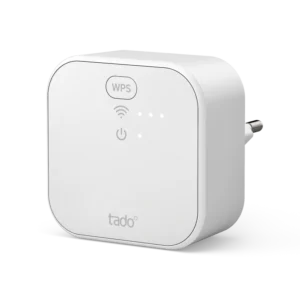
| No compatible Thread router | Buy the Tado Bridge X |
| Using Nest Hub but still stuck | Enable IPv6 on your router settings |
| Already using Tado app | Generate a Matter setup code in the app |
🛠 Need Help?
If you’re unsure what hardware you’ve got, just send us a quick photo of your Google device or thermostat box — we’ll confirm what’s needed.


See Map
hello@smart-thermostat.co.uk
+442031466414